

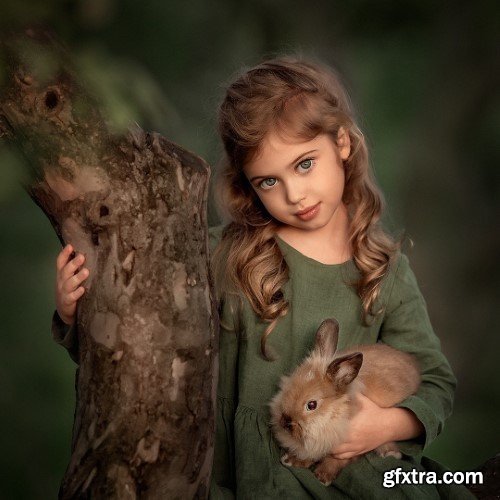
- Correct cropping and transformation of a photograph. Frames merging.
- Work with plasticity of faces and bodies. Correction of defects. Nuances of work.
- Work with backgrounds. Deleting extraneous content. Different types of blurring.
- Retouching skin. Skin fast processing (multiple options). Peculiarities of child and adult retouching.
- Work with a skin tone (few options). Skin tone equalization.
- Methods of adding contrast (few options).
- Draw a light and shade pattern (few methods).
- Work with the overall color scheme of a photograph (few options).
- How to get lush, clean colors.
- Work with plug-ins. Helper filters that I use. Explore their settings.
- Actions: learning about recording and setting the basic ones. Hot keys for easy work.
- Enhance artistry, volume, and space in a photo. Make your picture look more airy.
- How to reduce noise in a photo (multiple ways).
- Sharpening (multiple ways).
- Blending modes. Working with layers and masks.
- Work in curves.
- Matt toning. When is it appropriate?
- My secrets and “tricks” that greatly speed up the processing.
- Preparation for printing.
- Preparation for posting on the Internet.
- Complete scheme of photo processing.
The programs in which the training will take place: Adobe Camera RAW; Adobe Photoshop.


126,000 Royalty-Free 3D Model
Udemy Türkçe


Top Rated News
- CreativeLive Tutorial Collections
- Fasttracktutorials Course
- Chaos Cosmos Library
- MRMockup - Mockup Bundle
- Finding North Photography
- Sean Archer
- John Gress Photography
- Motion Science
- AwTeaches
- Learn Squared
- PhotoWhoa
- Houdini-Course
- Photigy
- August Dering Photography
- StudioGuti
- Creatoom
- Creature Art Teacher
- Creator Foundry
- Patreon Collections
- Udemy - Turkce
- BigFilms
- Jerry Ghionis
- ACIDBITE
- BigMediumSmall
- Globe Plants
- Unleashed Education
- The School of Photography
- Visual Education
- LeartesStudios - Cosmos
- Fxphd
- All Veer Fancy Collection!
- All OJO Images
- All ZZVe Vectors
- CGTrader 1 CGTrader 2



















