

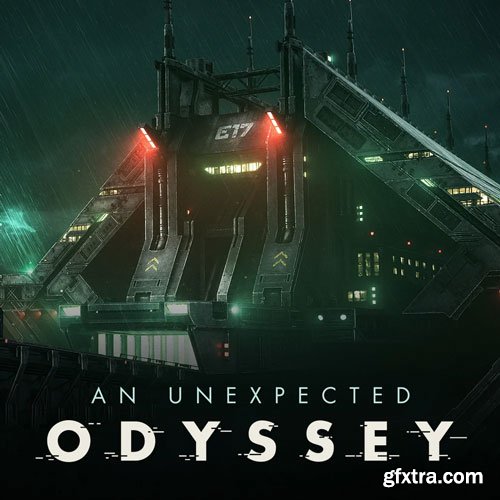
TRAILER : https://vimeo.com/prosceniumskart/unexpected-odyssey-ep2 - WHAT YOU'LL GET DIRECTLY AFTER PURCHASE - 1 - Introduction 2 - Project overview 2.1 - Visual analysis 2.2 - The power of personal projects 2.3 - Planning and organization 3 - Explaining The General Workflow 3.1 Overview 3.1.1 Asset Data Preparation In Maya 3.1.2 Texturing In Substance Painter 3.1.3 Shader Creation And Application In Maya 3.1.4 Summary 3.2 UDIM's Vs Non UDIM's Workflow 3.2.1 Non-UDIM Workflow 3.2.2 UDIM Workflow 3.2.3 Where Non-UDIM 's Workflows Are Preferable? 3.2.4 Summary 3.3 PBR Texturing 3.3.1 Explanation Of PBR And Its Advantages 3.3.2 Key Concepts 3.3.3 Metallic Vs Specular Workflow 3.3.4 Your Go-to Tool For Pbr Material Creation 4 - Bridge Substance To Maya 4.1 Classic Worflow 4.2 Enhanced Workflow With S2M 5 - ACES Workflow 5.1 What Is ACES And The Power It Holds? 5.1.1 Introduction 5.1.2 Why Is It Recommended? 5.1.3 How It Works? 5.1.4 ACES In Depth 5.1.5 ACES In A Nutshell 5.1.6 Online Documentation 5.2 Aces In Maya 5.2.1 Download ACES OpencolorIO 1.2 5.2.2 Installation Of ACES OpencolorIO 1.2 5.2.3 Configuration Of ACES OpencolorIO 1.2 5.2.4 Colospace And Idts 5.2.5 Practical Example 5.3 ACES In Substance Painter 5.3.1 How To Configure ACES In Substance Painter? 5.3.2 Installing Aces Luts For Substance Painter 5.3.3 Exporting Maps 6 - Automation Via Scripts 6.1 Scripting For Automation Repetitive Tasks 6.2 Creating A Python Script For The Mesh Lights Setup 7 - Creating A Complex Smart Material In Substance Painter 8 - +40 hours of texturing videos - Realtime (no audio commentary, with music) 9 - Conclusion 3d scene with Uvs but no textures/maps included (.mb, .ma, .fbx, .obj) Substance Painter Look Dev scene with shader ball Final render image 8K Clay render image 8K Wireframe render 8K Bonus wallpaper - SNIPPETS OF VIDEO CONTENTS - ACES explained & demystify ACES in MAYA - Workflow ACES in SUBSTANCE - Workflow Look Development Preparing Assets for Substance Painter Shaders / UV Layout Full Texturing in Substance Painter Dealing with a huge amount of data, how to organized them And a lot more... - IMPORTANT NOTE - It's an intermediate tutorial and you should be already at ease with your software to correctly understand this tutorial. - SOFTWARE USED - Autodesk Maya, Arnold Render, Substance Painter



126,000 Royalty-Free 3D Model
Udemy Türkçe


Top Rated News
- CreativeLive Tutorial Collections
- Fasttracktutorials Course
- Chaos Cosmos Library
- MRMockup - Mockup Bundle
- Finding North Photography
- Sean Archer
- John Gress Photography
- Motion Science
- AwTeaches
- Learn Squared
- PhotoWhoa
- Houdini-Course
- Photigy
- August Dering Photography
- StudioGuti
- Creatoom
- Creature Art Teacher
- Creator Foundry
- Patreon Collections
- Udemy - Turkce
- BigFilms
- Jerry Ghionis
- ACIDBITE
- BigMediumSmall
- Globe Plants
- Unleashed Education
- The School of Photography
- Visual Education
- LeartesStudios - Cosmos
- Fxphd
- All Veer Fancy Collection!
- All OJO Images
- All ZZVe Vectors
- CGTrader 1 CGTrader 2



















