

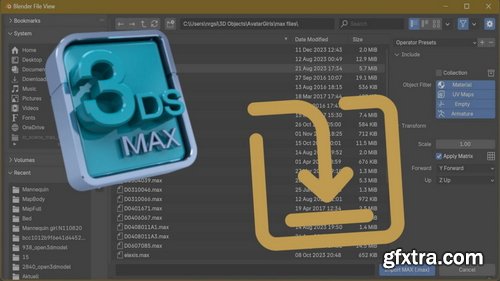
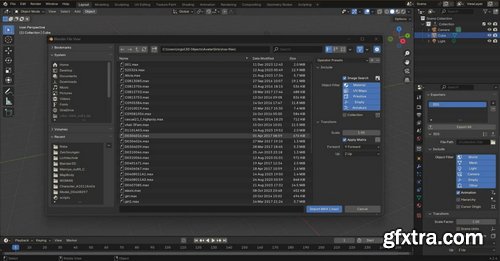
Import Autodesk MAX v1.7.3 for Blender
Blender 4.2 - 5
- Extension for importing meshes, materials and texture coordinates from Autodesk .max files. Supported materials: Standard, Arch, V-Ray and Corona. Supported textures for base color, roughness, specular intensity, transparency and normal map. Only linked textures are supported, they must be in the same folder or in a subfolder of the .max file. For compressed or partially compressed files, only .zip is supported.

 Comments: (0)
Import Autodesk MAX v1.6.9 for Blender
Blender 4.2 - 4.4
- Extension for importing meshes, materials and texture coordinates from Autodesk .max files. Supported materials: Standard, Arch, V-Ray and Corona. Supported textures for base color, roughness, specular intensity, transparency and normal map. Only linked textures are supported, they must be in the same folder or in a subfolder of the .max file. For compressed or partially compressed files, only .zip is supported.
Import Autodesk MAX v1.6.3 for Blender
Blender 4.2 - 4.4
- Extension for importing meshes, materials and texture coordinates from Autodesk .max files. Supported materials: Standard, Arch, V-Ray and Corona. Supported textures for base color, roughness, specular intensity, transparency and normal map. Only linked textures are supported, they must be in the same folder or in a subfolder of the .max file. For compressed or partially compressed files, only .zip is supported.

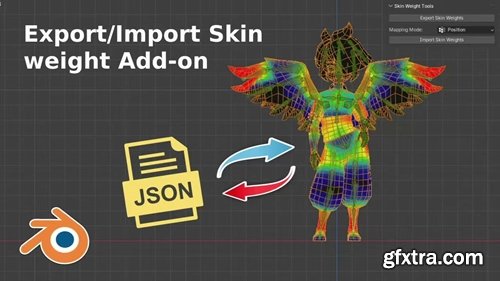
A simple add-on for Blender Exporting and Importing skin weights from a mesh to JSON using Position or UV mapping method. Used to export the vertex group, UV position and influences of all vertices of a selected mesh to a JSON file, then can be re-imported with any mesh with the same skeleton hierarchy. (works best with meshes with the same topology or the same UV)

https://www.wpallimport.com/
People call WP All Import magical for a reason - it works with any XML or CSV file, imports images, and can easily import data to plugin and theme fields or anywhere else you need it.
WordPress XML Import. WordPress CSV Import. It's easy with WP All Import. People call WP All Import magical for a reason - it works with any XML or CSV file, imports images, and can easily import data to plugin and theme fields or anywhere else you need it. Simple drag & drop interface; Run your import automatically on a schedule; Import image galleries, categories, custom fields, and more; Works with any file structure, no need to edit or reorganize data
WordPress XML Import. WordPress CSV Import. It's easy with WP All Import. People call WP All Import magical for a reason - it works with any XML or CSV file, imports images, and can easily import data to plugin and theme fields or anywhere else you need it. Simple drag & drop interface; Run your import automatically on a schedule; Import image galleries, categories, custom fields, and more; Works with any file structure, no need to edit or reorganize data

Advanced Custom Fields Add-On For WP All Import Pro Plugin. Support for all Advanced Custom Fields data types with powerful customization options. Repeaters, Flexible Content, and more; Pass import data through custom PHP; Fully documented API and Action Reference; Import any file format, any data structure

The Link Cloaking add-on for WP All Import makes it possible to easily cloak your affiliate links. The add-on is compatible with the WooCommerce add-on for WP All Import and WooCommerce affiliate/external products. You can choose to create cloaked versions of all links present in your imported content, or you can choose to only cloak the WooCommerce Affiliate/External Product Buy URL. The add-on is very easy to use - all you need to do is enable it during the import and your links will be automatically cloaked.
126,000 Royalty-Free 3D Model

Udemy Türkçe


Top Rated News
- CreativeLive Tutorial Collections
- Fasttracktutorials Course
- Chaos Cosmos Library
- MRMockup - Mockup Bundle
- Finding North Photography
- Sean Archer
- John Gress Photography
- Motion Science
- AwTeaches
- Learn Squared
- PhotoWhoa
- Houdini-Course
- Photigy
- August Dering Photography
- StudioGuti
- Creatoom
- Creature Art Teacher
- Creator Foundry
- Patreon Collections
- Udemy - Turkce
- BigFilms
- Jerry Ghionis
- ACIDBITE
- BigMediumSmall
- Globe Plants
- Unleashed Education
- The School of Photography
- Visual Education
- LeartesStudios - Cosmos
- Fxphd
- All Veer Fancy Collection!
- All OJO Images
- All ZZVe Vectors
- CGTrader 1 CGTrader 2



















