

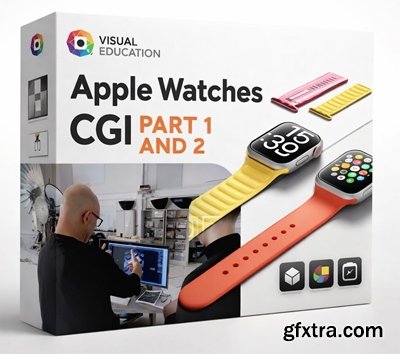
Visual Education - Apple Watches CGI Part 1 and 2
https://visualeducation.com/class/apple-watches-cgi-part-1/
https://visualeducation.com/class/apple-watches-cgi-part-2/
- In this Blender 3D product CGI class, Ethan Davis begins work on a CG ad-style image of two Apple watches. He startes by modelling the Apple watch straps, before moving onto the display blocks and the watches themselves.
- Having selected which straps to use, Ethan positions and tweaks them to make them as photorealistic as possible. Then it’s time to work on the watches themselves. As you follow Ethan through his creative process, you’ll see him demonstrate how to apply subdivisions, make changes to particle systems, add texture using number and UV maps, and more. With the watches modelled and positioned, Ethan moves on to lighting the image, offering you a set-by-step masterclass in CG lighting techniques. With the lighting perfected, all that remains is to check and render the final image. Ethan then sits down with Karl so that the pair can compare Ethan’s CG render with Karl’s photographic version. Ethan’s simple instructions will quickly boost your Blender skills and help you to achieve your own stunning CG renders.



Related Posts
Information
Members of Guests cannot leave comments.
NeoSkola Bütün Kursları

Udemy Türkçe


Top Rated News
- TheBoudoirDivas All Tutorial
- 126,000 Royalty-Free 3D Models
- CreativeLive Tutorial Collections
- Fasttracktutorials Course
- Chaos Cosmos Library
- MRMockup - Mockup Bundle
- Finding North Photography
- Sean Archer
- John Gress Photography
- Motion Science
- AwTeaches
- Learn Squared
- PhotoWhoa
- Houdini-Course
- Photigy
- August Dering Photography
- StudioGuti
- Creatoom
- Creature Art Teacher
- Creator Foundry
- Patreon Collections
- Udemy - Turkce
- BigFilms
- Jerry Ghionis
- ACIDBITE
- BigMediumSmall
- Globe Plants
- Unleashed Education
- The School of Photography
- Visual Education
- LeartesStudios - Cosmos
- Fxphd
- All Veer Fancy Collection!
- All OJO Images
- All ZZVe Vectors
- CGTrader 1 CGTrader 2



















